InfoComm 2026 Booth Design Tips for AV and Tech Exhibitors
At most trade shows, the booth is the backdrop. Your product is what you’re selling, and the booth creates the environment around it. At InfoComm, the booth is the product. Or at least, it has to look like it could be.
You’re exhibiting to an audience of systems integrators, AV directors, and procurement leads who spec, install, and evaluate AV technology for a living. You could have an elaborate custom booth or invest in a minimal booth rental for InfoCom. Attendees will walk into your exhibit and immediately notice whether your displays are calibrated, whether your audio bleeds into the aisle, and whether your rack is cable-managed or a disaster. The booth experience is the first proof point for what you’re selling. If it doesn’t hold up, the product conversation starts in a hole.
InfoComm 2026 splits across two distinct halls at the Las Vegas Convention Center. Central Hall is where enterprise AV lives — Smart Workplace, Conferencing & Collaboration, Digital Signage, Command & Control, and Retail Experience. North Hall is where sound, light, and staging take over — Audio, Broadcast AV, Lighting & Staging, and the Spotlight Stage. The design challenges in each hall are different. So are the buyers walking them.
Here’s what that means for how you design, plan, and build for InfoComm 2026 — exhibits open June 17–19 at the LVCC.
Treat your demo environment as seriously as the product itself
Every AV and tech exhibitor at InfoComm has the same intention: show the product working at its best. Most underestimate what that actually requires until they’re on setup day with the show opening in hours.
The LVCC is a high-volume convention venue and InfoComm is one of its biggest events. Power, network, and rigging are all pre-order systems — and the closer you get to show week, the harder and more expensive they are to guarantee. If your booth is running multiple displays, a processing rack, ambient lighting, and a live demo simultaneously, get your electrical and network requirements confirmed with your booth builder early and pre-order through the Exhibitor Service Manual well in advance. Working with an exhibit builder who knows the LVCC’s systems handles this for you.
The other pressure point is network. If your demo is cloud-dependent or involves live streaming, build in a contingency. Peak attendance hours create congestion across the hall. A demo that runs flawlessly in your office can stutter in front of a systems integrator who builds these environments for a living.
Give yourself enough setup time before the show opens for complex integrated systems — AV-over-IP, multi-zone control, unified communications platforms all need calibration time, not just installation time.
Design for sound, not just visuals
North Hall is loud. Every audio, broadcast, and staging exhibitor is running live sound at the same time, on the same concrete floor. There are noise rules. AVIXA sets limits at booth perimeters and show management enforces them — the specifics are in the Exhibitor Service Manual. But honestly, compliance isn’t your biggest problem.
Your biggest problem is this: if your demo is competing with the booth next to you, your visitor is hearing both. You lose the moment before you’ve even started. A few things that help. Directional speakers keep your sound pointed where you want it. If you have the floor space, an enclosed demo room solves the problem entirely — InfoComm offers Audio Demo Rooms for qualifying exhibitors who submit room plans in advance.
And if you’re showing conferencing or collaboration tech, this matters even more. Speech intelligibility isn’t a nice-to-have. It’s the whole demo. An open booth in North Hall is a hard place to prove that your mic array picks up every voice in the room. If your product needs to be heard, design the booth so it can be.
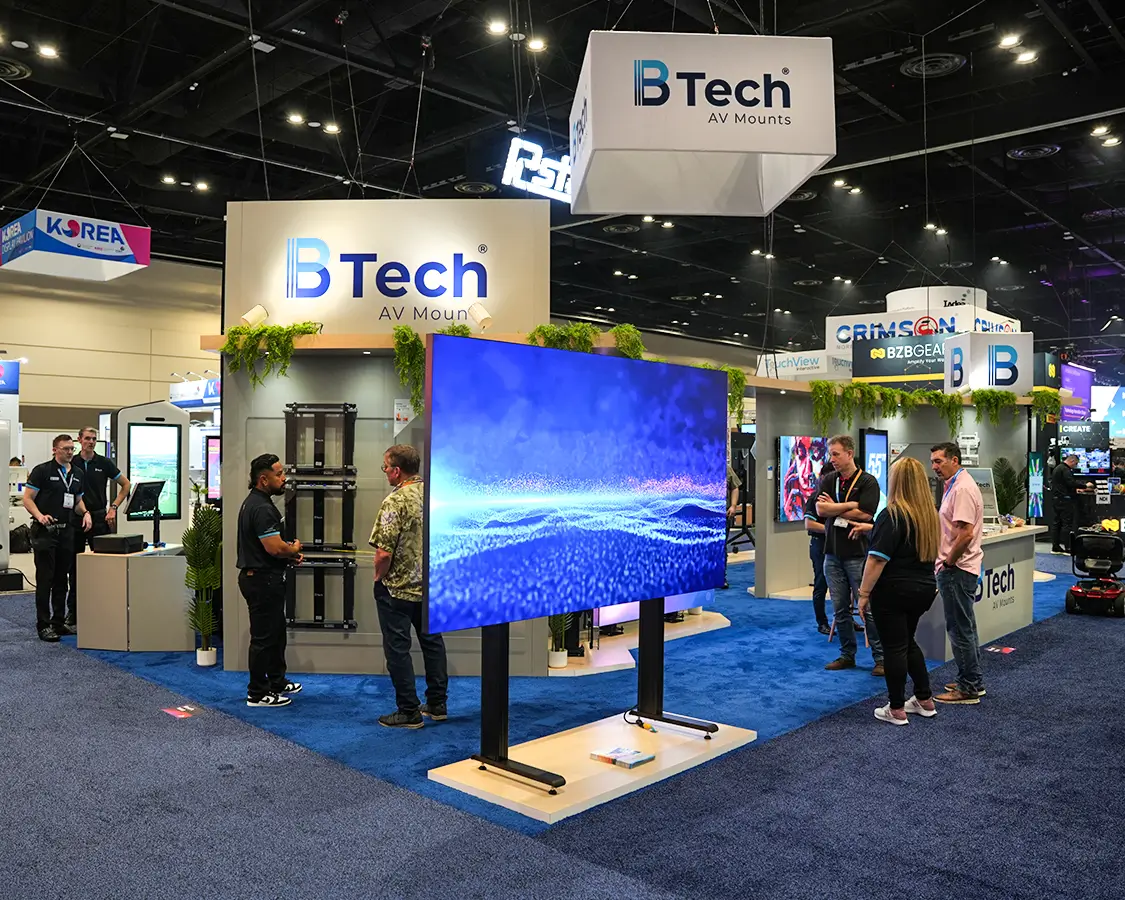
20×40 Trade Show Exhibit Booth at InfoComm, Orlando, FL
Know your structural limits before you design
InfoComm has specific rules around booth construction — height limits differ between inline configurations and island exhibits, and overhead-rigged elements, multi-level structures, and suspended signage all require advance approval from show management. The details are in the Exhibitor Service Manual and some structural types require engineering documentation submitted before you can build them.
This matters for AV exhibitors specifically because large-format video walls, rigged speaker arrays, and elevated display platforms are common design choices. A 10×20 InfoComm booth rental in an inline configuration has different constraints than a 20×20 island booth — and both have different rules for what you can hang, stack, or rig above them. If you’re planning any overhead elements, the compliance conversation with your booth builder needs to happen at the start of the design process, not after you’ve fallen in love with a concept that can’t be approved in time. Customization in booth takes time. Engineering reviews take time. If your builder is discovering these requirements in May, you’re already behind.
Ready to build your InfoComm booth? Get in touch with us!
Design for the integrator buyer, not just the end-user
About half of InfoComm attendees have direct purchasing authority. But a significant portion of the most valuable visitors are systems integrators — people who are evaluating your product to specify and install it for their clients, not use it themselves.
Central Hall’s focus — Smart Workplace, Conferencing & Collaboration, Digital Signage — means many of your visitors are evaluating your product to deploy it across a corporate campus, a retail chain, or a command center. They’re not there to experience it once. They’re there to understand how it integrates, what the support structure looks like, and whether it survives a 200-location rollout. That’s a fundamentally different conversation than a consumer purchase, and your booth needs to support it.
Your booth design should support both conversations without conflating them. A clear demo zone for experience, a separate area — even just a high-top table with good AV sightlines — for the technical conversation. Signage that speaks to outcomes for end-users alongside materials that speak to specifications and integration compatibility for the integrators who will actually install it.
If your booth only speaks to one audience, you’re leaving the other one to a competitor who thought this through.
Build the booth around one clear story, not your full product portfolio
InfoComm has 800+ exhibitors across two halls. With keynotes on the Vision Stage in Central Hall and the Spotlight Stage anchoring North Hall, attendees are already being pulled in multiple directions by high-production content. The integrators and AV directors walking the floor are moving fast, cross-referencing their pre-planned visit list, and making quick decisions about where to spend their time.
A booth that leads with everything you make gives a visitor no reason to stop. A booth that leads with one specific, clearly communicated problem and how you solve it gives them a reason to walk in and stay.
For the June show, that means picking your anchor. What is the one product or capability most relevant to what InfoComm’s audience is buying right now? Build the booth experience around demonstrating that thing at its absolute best. Let everything else be supporting context.
The back wall of your booth is doing positioning work before your team says a word. If someone can read it from 20 feet away and understand exactly what problem you solve and for whom, the booth is working. If it requires them to walk in and read paragraphs to figure it out, you’ve already lost most of the foot traffic that would have converted.
Pre-order everything. Las Vegas is not a last-minute city.
The LVCC is one of the highest-volume convention venues in the world. Electrical, rigging, internet, material handling, labor — all of it operates on a pre-order system, and all of it gets more expensive and harder to guarantee the closer you get to show week.
This is one of the genuine advantages of working with a local provider for trade show booth rentals in Las Vegas. A builder based in Las Vegas knows the LVCC’s ordering systems, union labor rules, and deadline structure from experience — not from reading the Exhibitor Service Manual for the first time. That means fewer surprises on install day, faster turnaround on any last-minute adjustments, and no cross-country freight delays eating into your setup window.
If you’re evaluating Las Vegas exhibit rentals for InfoComm 2026, ask your provider how many times they’ve built at the LVCC specifically. The answer tells you a lot about how smoothly your install week will go.
Meeting rooms and Audio Demo Rooms for private integrator conversations off the show floor are first-come, first-served and go fast — check the Exhibitor Resource Center for current availability and requirements well before the show.
The InfoComm reality
You’re not just competing against 800 other booths for attention. You’re competing in front of an audience that will evaluate your execution as a proxy for your product quality. How you design the environment around your technology says something about how your technology performs in the environments your customers actually buy it for.
Get the demo right. Solve the audio environment early. Design for the integrator conversation, not just the end-user one. Choose exhibit rentals for InfoComm from a team that knows the LVCC’s requirements — not one that’s learning them alongside you. And build your timeline around the deadlines, not around when it starts to feel urgent.
Related Posts
New Gaylord Pacific Resort & Convention Center in Chula Vista: What Exhibitors Need to Know